10 Best Business Receipt Tracking Apps in 2026

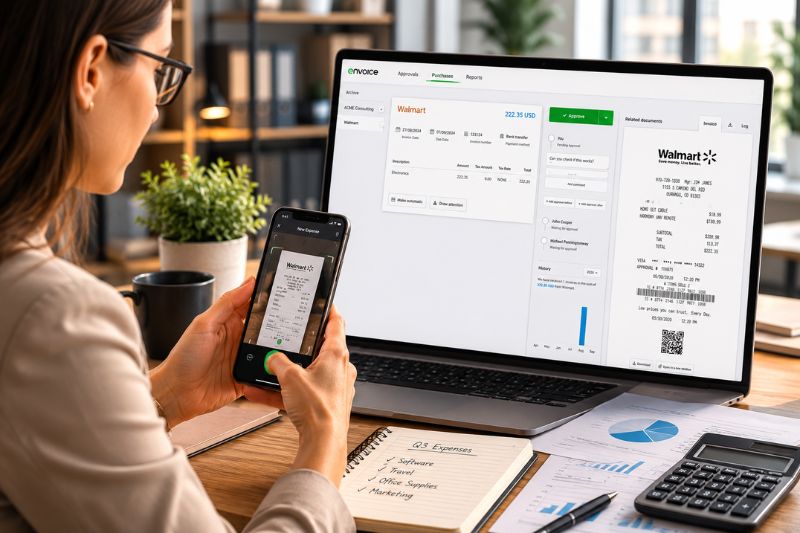


Produced by our content partners and reviewed by Envoice’s internal experts to ensure it reflects real accounting workflows and accurate product usage.
In 2026, receipt-tracking apps for businesses are no longer new; they have become essential for efficient pre-accounting and expense tracking. It’s hard to imagine a time before these tools. Companies seek receipt-scanning apps that fit their accounting needs, but with so many similar options on the market, it can be confusing to choose.
We explore the top 10 receipt-tracking apps of 2026, highlighting the advantages and disadvantages of each.
Overview
- Envoice: Best for small businesses, accountants and companies that want to simply approval workflows.
- FreshBooks, Wave Accounting, QuickBooks, and Zoho Expense: Best for freelancers, small businesses, and companies wanting automated expense tracking connected to accounting workflows
- Dext, Sage AutoEntry, Expensify, Rydoo, and Shoeboxed: Best for accountants and large enterprises handling high-volume bookkeeping.
Table of Contents
- Best Receipt Scanner Apps: Snapshot
- Envoice
- Expensify
- Zoho Expenses
- QuickBooks
- FreshBooks
- Wave Accounting
- Dext
- Sage AutoEntry
- Rydoo
- Shoeboxed
- Conclusion
- FAQs: Best Receipt Tracking Apps
Best Receipt Scanner Apps: Snapshot
| Receipt scanning software | Pricing | Features included |
|---|---|---|
| Envoice | From $7/company/month | High-accuracy data extraction, tracking expenses, expense reports and simplified approval workflows. |
| Expensify | From $5/member/month | SmartScan receipt capture, reimbursements, and automated expense submissions. |
| Zoho Expenses | From $5/user/month | OCR scanned documents, automated expense categorization, and expense reporting. |
| QuickBooks | From $19/user/month | Scan receipts, match transactions and credit card accounts. Reimburse expenses. |
| FreshBooks | From $19/user/month | Receipt capture is linked to invoicing and expense tracking workflows. |
| Wave Accounting | From $19/user/month | Mobile receipt capture, expense tracking for tax season and automated bookkeeping. |
| Dext | From $25/user/month | OCR extraction, supplier data capture, bookkeeping automation and tax preparation. |
| Sage AutoEntry | From $12/user/month | Automated receipt and invoice data extraction, and track business expenses for tax deductions. |
| Rydoo | From $10/user/month | Capture receiptS, policy-based expense tracking, and team approvals. |
| Shoeboxed | From $9-$179/month | Scan multiple receipts, digitize paper receipts via mail-in, and categorize expenses. |
10 Best Receipt Scanning Apps in 2026
In 2026, the best receipt-scanning apps have shifted from basic optical character recognition (OCR) to AI-powered multi-modal models. This has increased the accuracy of automatic data extraction and reduced manual data entry. This is good news for all businesses seeking more efficient pre-accounting processes. Here we discuss 10 tracking/scanning apps and why they’re better than other accounting software on the market.
#1 Envoice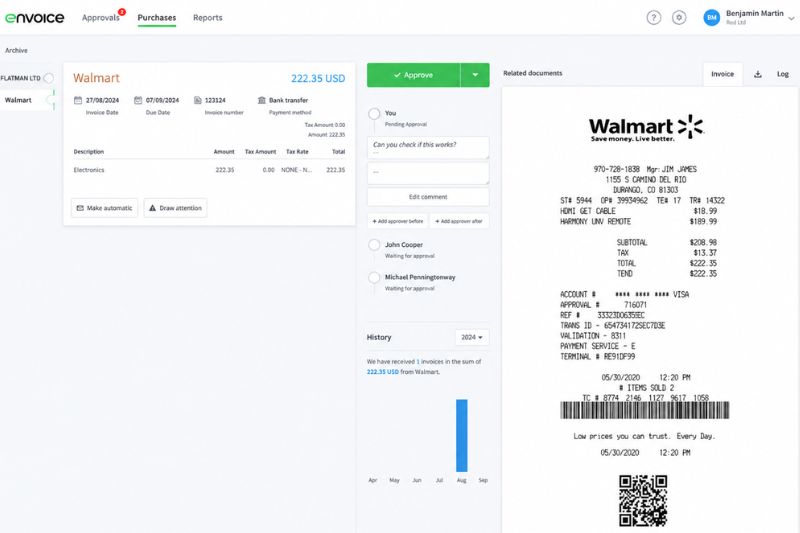
Envoice is an expense management tool designed to speed up the processing of financial information. With Envoice, companies have access to a receipt-scanning app and an AI-powered expense management features that automate the approval workflow and improves receipt management. You can also store receipts digitally under your unique customer profile, ready for tax time.
Employees can use the Envoice app to create expense reports and submit them for reimbursement using a mobile app. It’s a simple tool that supports expense tracking, data extraction via photo capture or receipt upload, and mileage tracking.
Envoice works well with popular accounting software such as QuickBooks, Sage, Xero and MS Dynamics 365 as a third-party integration. Adding Envoice to this software provides a higher level of data extraction and powerful approval workflows.
Pros and Cons
Envoice’s strengths lie in its high data-extraction accuracy and its ability to create simple approval workflows that save time and resources. With a reasonable monthly or annual plan, you will have access to advanced expense-tracking capabilities. Both the Essential and Business plans allow you to scan 30 documents for free, but once that limit is reached, additional charges apply. Businesses on a tight budget will need to monitor these costs carefully.
#2 Expensify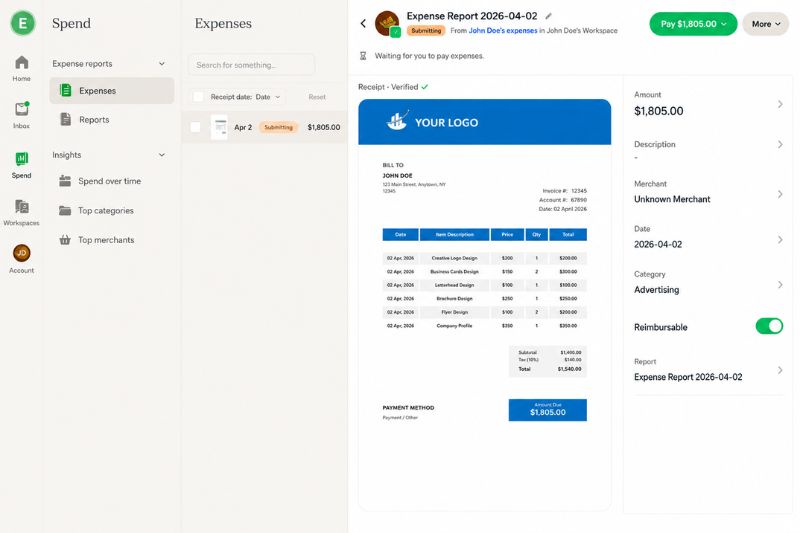
Expensify has a receipt-scanning feature called SmartScan. Like most of the tools in this list, it comes with a mobile app that you can use to take a photo of the receipt. Aside from the app, you can upload the invoice, use a Chrome extension, or email the receipt to your account.
Small businesses looking for a budget-friendly option can try using Expensify to see if it fits their needs.
Pros and Cons
Expensify offers a free plan, and you don’t need to meet a minimum user requirement. Delegating access is also possible, and it integrates with several travel and accounting apps.
On the flip side, the app can be slow at times, and free users are likely to receive constant offers to upgrade their accounts.
#3 Zoho Expense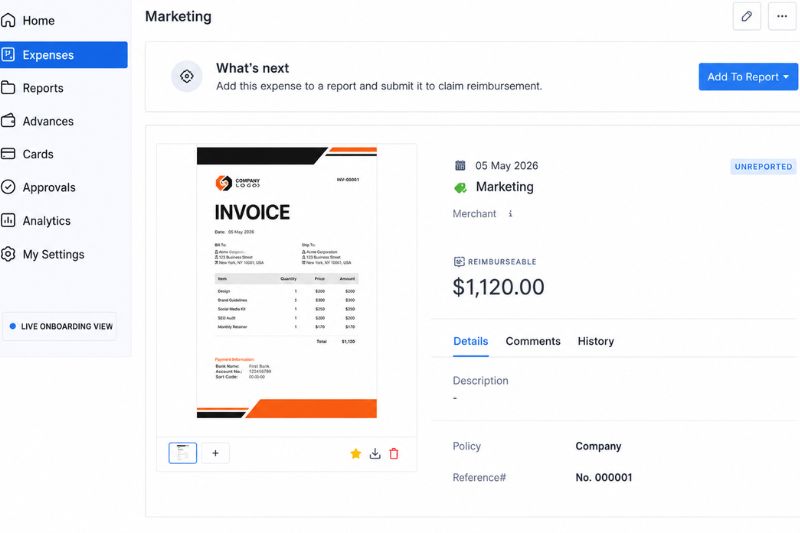
Zoho Expense is a simple receipt tracking and accounting solution that makes expense management easy. It comes with a mobile app and supports document management. Users can set up rules to speed up report creation for tax purposes and management use.
Business owners can maximize the benefits of using Zoho Expense to manage credit cards and bank accounts if they already use other Zoho tools.
For a detailed comparison, see our Zoho expense vs expensify guide.

Pros and Cons
Zoho Expense has a free version, but you need a paid plan to integrate the app with accounting software like Xero, QuickBooks, and Zoho Books. While the paid plan starts at $5 per user, you should have at least three users. Moreover, free users may have access to fewer features.
#4 QuickBooks
Most people think of accounting software when they mention QuickBooks, but the tool does more than generate financial reports; QBO has a tool which extracts receipt data and helps you submit expenses quickly and easily.
If you use QuickBooks Online, consider using the app to capture information from your invoices.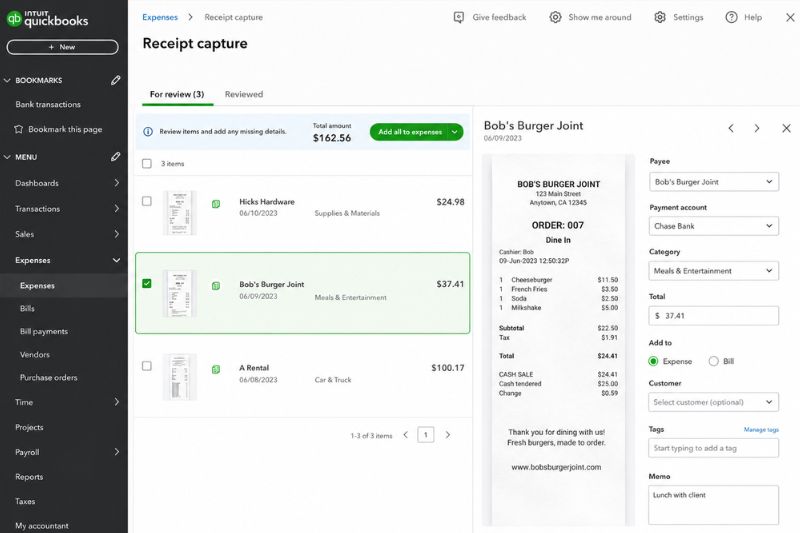
With the QuickBooks mobile app, you can extract data by taking a photo of the receipt. However, you can also upload a copy of the invoice. After extracting data from the receipt, you can edit information and push it directly to your accounting software – making the process even more efficient.
Pros and Cons
Businesses with an existing QuickBooks subscription have access to the app for free. The auto-match feature also works with these receipts. However, users on another accounting platform may find the learning curve a barrier to entry. Subscription fees for QBO tend to be higher than those of other receipt scanner apps.
#5 FreshBooks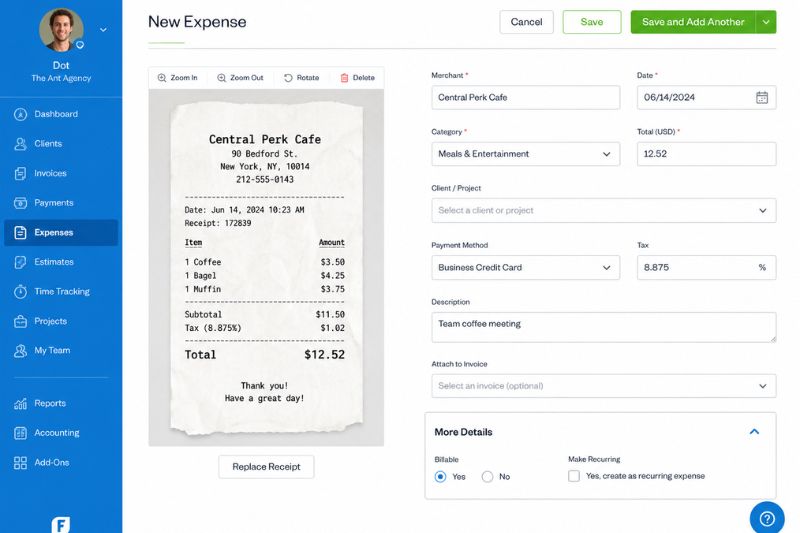
Like QuickBooks, FreshBooks also includes access to its receipt scanning app as part of the subscription package. Compared to other accounting programs, FreshBooks is easier to use since it caters to the needs of small business owners. Service-based companies with a simpler operating process may also find FreshBooks to be the right choice for accounting and receipt scanning.
Pros and Cons
With the receipt scanning tool with FreshBooks, you can automate scanning and expense categorization. Users can also email the receipt to a unique email handle. Due to its simplicity, FreshBooks lacks certain features like inventory management. Adding more users also increases subscription costs.
#6 Wave Accounting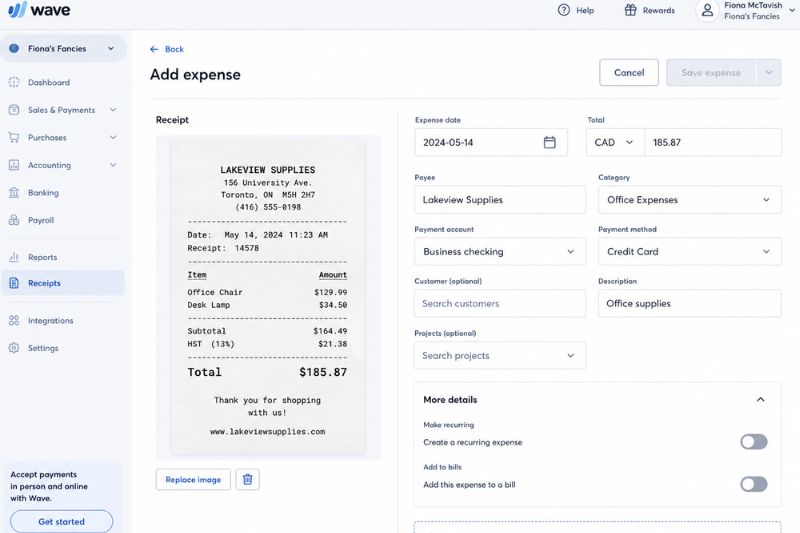
Wave Receipts is among the top picks if you’re looking for a free mobile app for organizing receipts. With Wave, you can store proof of expenses to support claims since you can attach the receipt to each transaction.
Wave also lets you keep a secure backup of your receipts. You can access all the information in one location – allowing your business to stay audit-ready. The receipt scanning app is free, but it’s better to pair the tool with other Wave tools.
Pros and Cons
Wave receipts have a user-friendly interface, making it convenient to navigate through the app. Aside from the receipt scanner, Wave also offers free accounting, banking, and invoicing, but it is more suitable for small business owners.
You can capture photos of receipts with a mobile app. However, if you are going to upload receipts, you should use the browser version of the app.
#7 Dext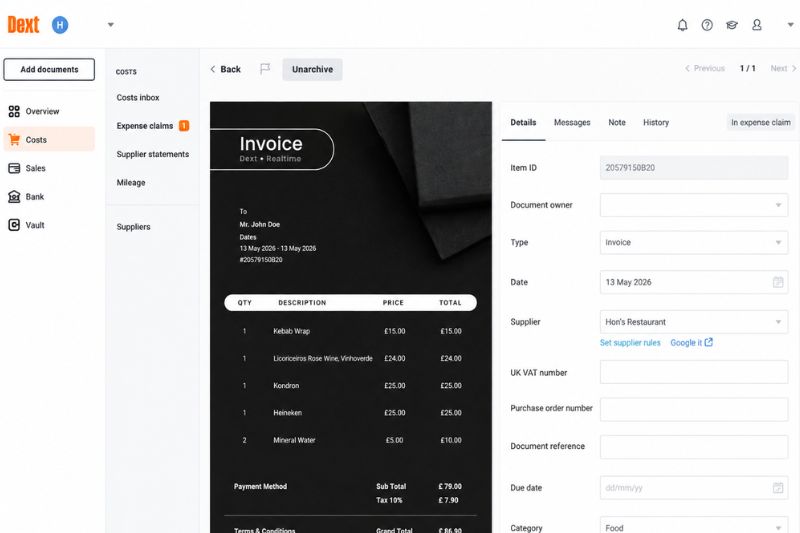
Dext Prepare boasts various features that allow efficient data capture and receipt organization. You can access Dext through a smartphone app, automatic fetch, or email. Dext’s receipt scanner integrates with different types of accounting software. You can create expense reports, set supplier rules, and match purchase orders to the related invoice.
With its advanced features, Dext is ideal for financial controllers, accountants, and other professionals. You can also connect live bank feeds to your account and prioritize urgent tasks.
Pros and Cons
Dext Prepare flags for missing paperwork, making it faster to track payments. You can take advantage of the free trial version of the app to see if it’s right for your business. While the app comes with advanced features, it’s on the expensive side, especially if you’re planning to pay for a subscription for only one user. Some plans don’t support line item extraction as well.
#8 Sage AutoEntry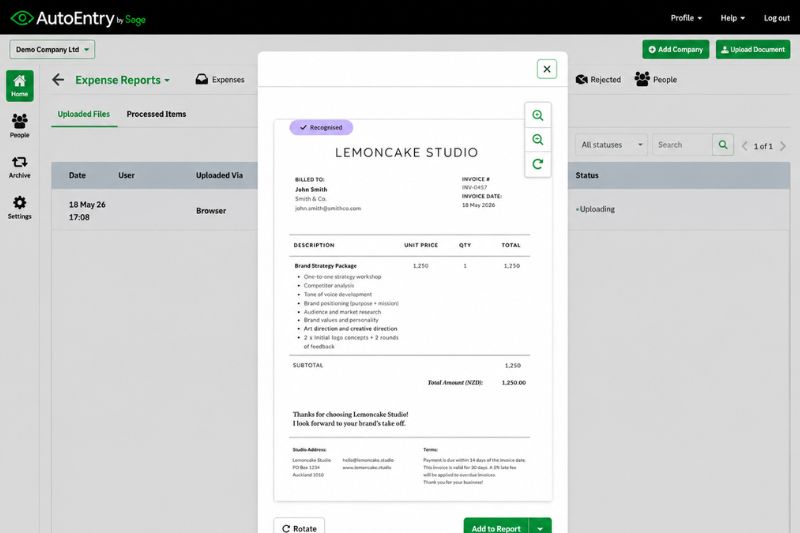
Auto Entry is a receipt scanning app by Sage that simplifies invoice data extraction and organization. Businesses using Sage for accounting can benefit the most from using this app, but it can also sync with other cloud accounting programs.
Pros and Cons
With Auto Entry, users pay for credits. The cost of extracting information varies on the source documents. Since you can extract data from invoices, bills with multiple line items, and bank statements – the credit cost varies depending on the information included in those documents.
Auto entry works well with many accounting apps, but some people encounter inaccuracies in extracted information. Some users also find the interface difficult to navigate.
#9 Rydoo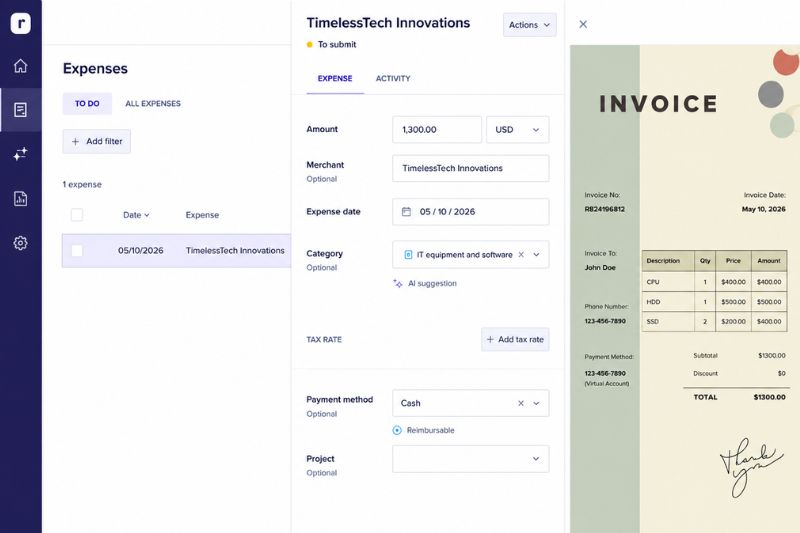
With Rydoo, you can automate the expense workflow, streamline reimbursement cycles, and boost productivity by eliminating data entry. This app also includes useful features such as the ability to limit access based on the user’s responsibility and role.
Pros and Cons
As a cloud-based app, Rydoo makes it easier to access expense data in real time – preventing month-end spikes in workload for your finance team. Rydoo charges per user per month, billed annually. Larger companies that process a lot of invoices may find this rate reasonable, but smaller businesses may find the higher upfront cost to be a financial burden.
#10 Shoeboxed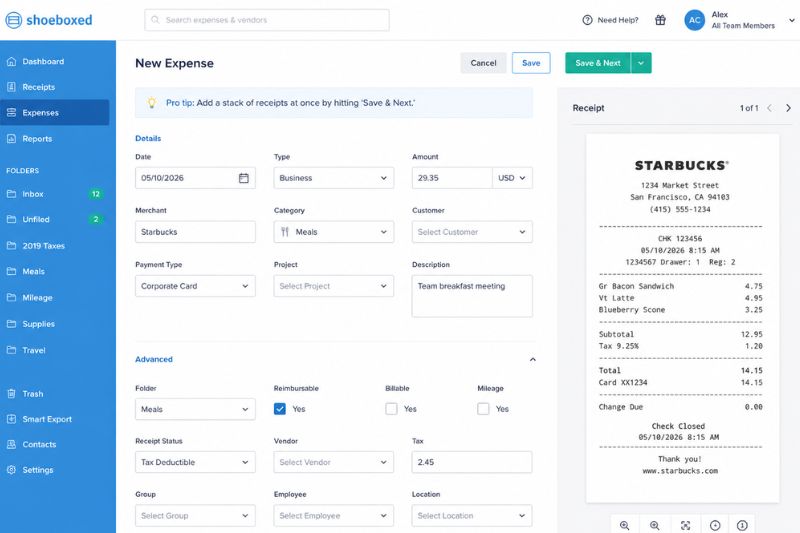
Shoeboxed makes it faster and more convenient for small businesses and entrepreneurs to stay organized and manage receipts. In addition, the shoeboxed receipt tracker helps you digitize paper receipts, categorise expenses, and find deductions more easily—making it ideal for tax-saving purposes.
Explore shoeboxed alternatives for other receipt capture tools with different workflows and pricing.
With Shoeboxed, you can mail all your physical receipts to a processing facility. You also have the option to use the mobile app to capture a digitized copy of your receipt using your smartphone. Users can import receipts to the app using a Gmail plug-in or by sending the receipt to a designated address.
Pros and Cons
With Shoeboxed, users can allow expense reporting and mileage tracking. If you want to digitize physical receipts, you can send them via the Magic Envelope for scanning. You also have unlimited file storage. Compared to other receipt scanning apps, Shoeboxed serves a niche market and is mainly for businesses that want to mail documents for digitization.
Manage Business Expenses Better With the Right Receipt App
Access to a simple and user-friendly tool for managing all your physical and digital receipts is invaluable for your business. Consider upgrading your existing process and modernizing your invoice process.
Strengthening invoice capture is an important next step once receipt workflows are under control. Tools featured among the best invoice scanning software solutions help standardise data extraction and support smoother AP processes.
Open a Free Envoice account now and experience how a receipt scanning app works in real life.
FAQs: Best Receipt Tracking Apps
1. What is the best receipt scanning app in 2026?
The best receipt-scanning app in 2026 depends on your accounting processes. Freelancers, self-employed individuals, and small businesses that need to quickly and accurately upload and track expenses will prefer a smart mobile application (like FreshBooks). Businesses that want to streamline pre-accounting, create expense reports and speed up approvals will use Envoice, Expensify or Zoho Expenses.
2. Are receipt scanning apps safe?
Yes, most leading receipt scanning apps are safe. They use AES 256-bit cloud encryption, multi-factor authentication, biometric mobile security, tamper-proof audit trails and role-based controls. Examples of software with this level of security include Envoice, Expensify, Dext, Rydoo, and Zoho Expense. Most accounting tools also undergo rigorous audits to ensure compliance with international data security standards.
3. What is the best mobile receipt app in 2026?
The top mobile receipt app in 2026 depends on your business needs. Several leading software solutions offer mobile apps for scanning receipts and invoices. Each one provides a unique user experience and varies in functionality. Apps with simple, user-friendly interfaces include Envoice, Zoho Expense, Wave and Expensify.
4. What is the most affordable receipt tracking app in 2026?
The most affordable receipt tracking app in 2026 isn’t always the one with the lowest subscription price. Users should compare document limits, the number of users, included features, and additional upload fees. If you want to control costs, choose an app with fixed pricing that offers enough documents to match your monthly receipt processing volume. Three affordable options are Envoice, Zoho Expense and Wave Accounting. The next tier up in affordability will be Expensify and Sage AutoEntry.
Articles you might like

STAY ALWAYS TUNED
Subscribe to newsletter
Still not sure?
- Don’t spend time on manual work
- Streamline bookkeeping processes with AI
- Automate invoice processing
- Integrate with the tools you rely on every day