Wave vs QuickBooks: Guide for SBOs 2026



Produced by our content partners and reviewed by Envoice’s internal experts to ensure it reflects real accounting workflows and accurate product usage.
With artificial intelligence paving the way for more sophisticated accounting software programs in 2026 and beyond, we examine how Wave stacks up against its biggest competitor, QuickBooks Online.
In this guide, we provide small business owners with a feature-by-feature comparison and then discuss the pros and cons of Wave vs QuickBooks. Lastly, we’ll give you our honest take on which accounting solution can work for your small business.
Quick Overview
Wave and QuickBooks are two robust accounting software programs suitable for small businesses. While each one offers basic bookkeeping, reporting, and mobile features, they are distinctly different in functionality. Wave sets itself apart by offering a basic free version and providing a reasonably priced payroll add-on. QuickBooks differentiates itself by offering users smart features (like automation) on lower-priced plans.
Table of Contents
- Wave vs QuickBooks: Feature comparison
- Pros and Cons: Waves vs QuickBooks
- Conclusion
- FAQs: Wave vs QuickBooks
Wave vs QuickBooks: Feature comparison
| Feature | Wave Accounting | QuickBooks Online | |||||
| Software Overview | |||||||
| Pricing |
|
|
|||||
| User limits |
|
|
|||||
| Customer Support |
|
|
|||||
| G2 Rating | 4.3/5.0 (308 users) |
4.0/5.0 (3639 users) |
|||||
| Bookkeeping | |||||||
| General accounting | Chart of accounts, journal entries | Chart of accounts, journal entries | |||||
| Bank reconciliation | Import bank transactions automatically. Bank data connections are read-only. | Connect bank accounts for automatic sync | |||||
| Income and expense tracking | Create branded invoices and receive online payments via a link. | Create invoices and track payments. Automated expense categorization. | |||||
| Capture and organize receipts | Scan or capture receipts for easy categorization. | Scan or capture receipts for instant categorization and review. | |||||
| Send estimates and invoices +recurring invoices | Create and send estimates and invoices. Receive estimate deposits directly and create payment links in invoices. | Customize estimates and accept mobile signatures, create company invoices and send them directly, and set up recurring invoices. | |||||
| Accept payments | Add-on, subject to identity verification and credit review. Receive bank deposits, credit card or Apple payments. | Flexible ways to get paid via PayPal, Venmo, Apple Pay®, credit, debit, or ACH payments. | |||||
| Purchase orders | Not available | On QBO Plus and Advanced | |||||
| Manage bills | Manage and track bills in one place. | Organize and track bills online. | |||||
| Contractor payments | 1099 contractors | 1099 contractors | |||||
| Data visibility and reporting | |||||||
| Financial dashboard | Track income, expenses, and payments in one place. | Automatic business feed updates, customize dashboard view. | |||||
| Customer management | Store customer information, and search details per customer or payment. | Centralize all customer information and filter for insights. Track customer-specific income. | |||||
| Vendor management | Store vendor information and track bills and vendor history. | Centralize all vendor information and track vendor payments. | |||||
| Accountant ready reports | Basic financial reports such as profit and loss, balance sheet, cash flow, and sales tax. | Solopreneur – basic profit and loss, balance sheet | |||||
| Simple Start – profit and loss, balance sheet, general ledger | |||||||
| Essentials – basic reports + accounts receivable, accounts payable | |||||||
| Mobile functionality | |||||||
| Financial Dashboard | Smart dashboard organizes income, expenses, and payments | Consolidated view of financial position. | |||||
| Capture receipts and enter expenses | Use your mobile device to capture receipts immediately. | Capture receipts via a camera phone and categorize expenses immediately. | |||||
| Invoice on-on-the-go | Easily create and customize professional invoices. | Create and send invoices from mobile devices, with automatic online sync. | |||||
| View and send reports | View basic financial information like cash flow and outstanding invoices. | Request basic reports and send via mobile app. | |||||
| Automatic sync across devices | Financial information updated 24/7. | Financial data syncs in real-time. | |||||
| Advanced features | |||||||
| Inventory management | Not available | On QBO Plus and Advanced | |||||
| Project management | Not available | On QBO Plus and Advanced | |||||
| Time tracking | No available | On Essentials, Plus and Advanced. | |||||
| Mileage tracking | Not available | Track miles and categorize trips. Produce shareable reports. | |||||
| Expense approval workflows | Not available | On QBO Advanced. | |||||
| App integrations | Through a Zapier integration, there are 1000+, but very few direct integrations. | 800+ | |||||
If you need mileage tracking and expense approval, you don’t have to pay for QBO’s highest plan. There is another way to do this with a QBO add-on. Envoice integrates with QBO for $14 a month and provides the extra features you’re looking for. Sign up for the Envoice free trial to see how well QBO and Envoice work together.
Pros and Cons: Wave vs QuickBooks
Both QuickBooks and Wave are cloud-based accounting software that can handle basic accounting tasks, but you find some big differences between the two in terms of features. For small business owners who are moving from spreadsheet accounting, these two platforms can be a bit of a learning curve, but they are so user-friendly that it won’t take you long to figure it out.
Wave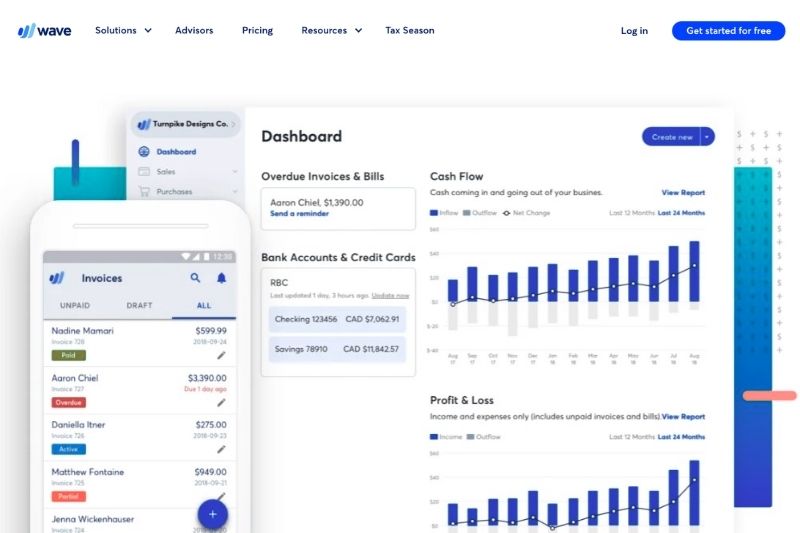
Pros
Wave has packed some pretty impressive features into its platform, and considering that it still offers a free version, this is a big plus. It also doesn’t limit the number of users on the free or paid plans, unlike QuickBooks.
One would also expect a free plan to limit the number of transactions you can record or invoices you can create, but it doesn’t do that either. This sets Wave apart from the competitors and makes it a huge drawcard for small business owners.
Other notable pros are the Wave invoicing features, customizable estimate templates, and the ability to receive deposits and payments from unique links. Wave also allows you to set up late payment notifications, increasing your ability to get paid on time. Critical for small business financial management.

Cons
While Wave’s free and paid versions are excellent, it’s not the best accounting software if you want to scale your business or for more complex businesses.
Wave cannot help you track inventory, track billable hours, or split project income, which may be necessary for some small companies. It will also not provide you with more than basic financial statements. For these more advanced accounting tasks, you will need QuickBooks.
The payroll feature is available for any size business, but you will need to pay additional fees ($40 + $6 per employee (or independent contractor) paid. Also, bear in mind that online payments will attract fees.
QuickBooks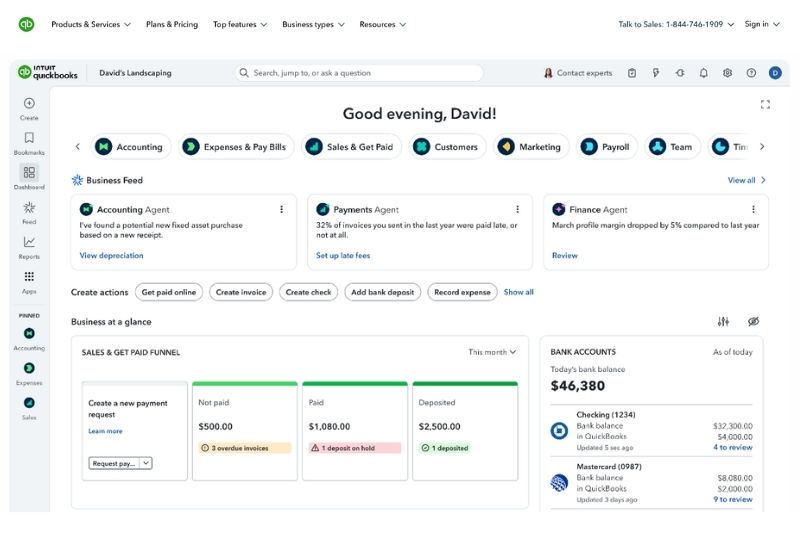
Pros
The QuickBooks portfolio greatly expands what is possible with Wave and accommodates every business size and type. QuickBooks Online has grown to over 7 million users, but users can also still sign up for QuickBooks Desktop Enterprise if they choose.
The greatest advantage of using QuickBooks is that they have a number of pricing plans. You can begin with the basic plan (Simple Start) and keep your budget low, but you have the option of changing plans as you grow, without changing software.
A big plus for QuickBooks is the advanced reporting features, which allow you to mine just about any data you need. This includes location tracking, where you can track individual products or services in multiple locations. Furthermore, QuickBooks allows you to connect to financial institutions all over the world, saving you time and giving you up-to-date financial visibility.
Cons
As far as a reliable accounting tool goes, QuickBooks is a solid option. But it can let small-business users down when it comes to features such as time tracking, inventory management, project management, and mileage tracking.
There is also a significant price gap between plans, with no notable increase in features. Also, QuickBooks isn’t known for the best customer support, making it difficult to get help when something goes wrong.
Conclusion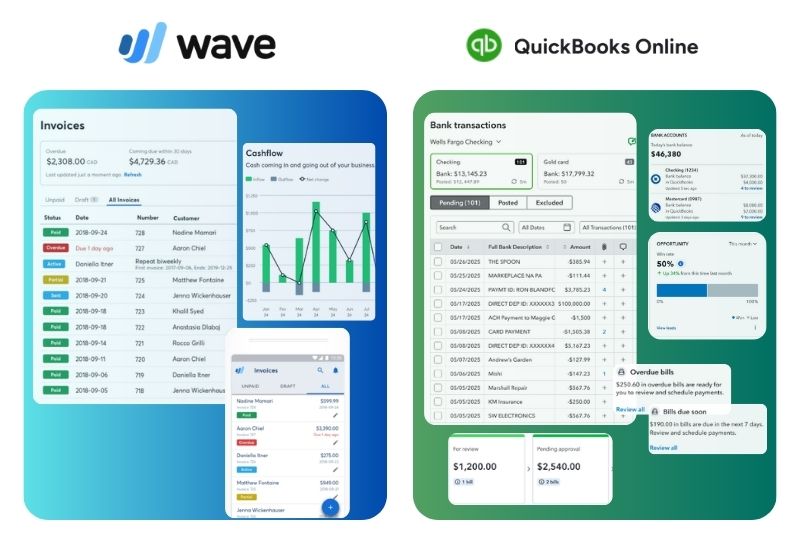
In theory, Wave and QuickBooks do the same thing. They are cloud-based accounting tools that help businesses process their financial transactions and keep audit-compliant books. For simple accounting needs (like those of solopreneurs, freelancers, and micro-enterprises), Wave is comparable with many other accounting platforms, such as Xero, FreeAgent, and FreshBooks.
However, QuickBooks comes out stronger if you will scale in the future. and want access to tax, payroll, accounting, and project management assistance.
Further insight: FreeAgent vs QuickBooks: A comparison for SMBs
Before you go, don’t forget to take a look at Envoice’s approval workflow feature. Even if you choose QuickBooks, you can only get access to this on the Advanced plan, but with Envoice and QuickBooks, you can set up approvals workflows and get access to the mileage tracking feature. Doing it this way will reduce subscription costs. Investigate your options with Envoice.
FAQs: Wave vs QuickBooks
Articles you might like

STAY ALWAYS TUNED
Subscribe to newsletter
Still not sure?
- Don’t spend time on manual work
- Streamline bookkeeping processes with AI
- Automate invoice processing
- Integrate with the tools you rely on every day