Wave vs Xero: Which one is right for small businesses?




Big-name platforms (like QuickBooks Online and Sage) dominate the choices when it comes to small and medium enterprises. But what if you don’t need such sophisticated features, or the pricing that comes with it.
For small businesses and the self-employed, there are lighter options available on the market. Some even have free versions that give you access to a good range of features. Others charge a lower fee for smaller businesses and provide the option of scaling without losing all your data. In this guide, we look into two such options, Wave and Xero.
Quick Overview
Wave and Xero are accounting software for small businesses, freelancers, consultants, contractors, and solopreneurs. Wave is a specialized platform aimed at self-employeds, while Xero focuses on small and medium enterprises.
Table of Contents
Wave vs Xero: Feature comparison
| General information | Wave Accounting Software | Xero Accounting Software | |||||
| Who uses it?
|
Freelancers, solopreneurs, consultants, independent contractors, very small businesses (1-9 employees), service businesses. | Small and medium enterprises | |||||
| Which industry can use it? | Creative services, retail, consulting, real estate, fitness and wellness experts, IT services. | Construction, retail, manufacturing, IT, healthcare, services-based businesses, hospitality, and agriculture. | |||||
| How much does it cost? |
|
|
|||||
| Is there a free trial? | Free starter plan, cancel whenever you want. | One month free. | |||||
| Can I get a discounted rate? | None advertised. | Xero often offers discounted rates for 3-6 months. | |||||
| How many users can be added? |
|
|
|||||
| Is there any customer support? | Wave support | Xero Central, JAX – AI Agent | |||||
| What do others think of this product? | 4.3/5.0 (G2) | 4.1/5.0 (Forbes) | |||||
| How quickly can I use this software? | Guided set up and easy user interface, quick adaptation | Easy setup, small learning curve. | |||||
| Core Accounting Features | |||||||
| Bookkeeping | Create unlimited bookkeeping entries. | Fully fledged accounting solution helping you run your business and providing automated bookkeeping features. | |||||
| Invoicing | Customize invoicing features. Send professional invoices with a logo. Drop-and-drag editing. | Advanced invoicing features, bulk invoicing, quote-to-invoice invoicing process workflow, recurring invoices, payment reminders, and unlimited invoices. | |||||
| Sales tax features | Automatically calculates sales tax for invoices. Two methods used: Inclusive or exclusive of tax. | Automatic calculation of sales tax for all states and regions. | |||||
| Expense tracking | Keep track of all expenses in one place. | Full expense tracking with categorization | |||||
| Capture and organize receipts | Paid option. Capture and organize receipts using your phone. Unlimited receipt scanning. | Scan and autosync receipts with the mobile apps. | |||||
| Payments | Accept online payments with Pro-plan and automate late payment reminders. Subject to identity verification and credit review. Receive bank deposits, credit card or Apple payments. | Create payment links or one-click payment buttons when creating invoices. Set up recurring payments. Accept online payments including credit card payments, debit card, ACH Debit, Apple Pay, and Google Pay. | |||||
| Bill management | Manage and track bills in one place. | Track, pay and manage bills directly with the comprehensive bill management and accounts payable function. | |||||
| Bank reconciliation | With pro-plan import, merge and categorize bank transactions. | Link all bank accounts, and transactions are automatically brought into the software and reconciled. | |||||
| Bank feed connections | With pro-plan create unlimited bank and credit card connections. Bank connections are read-only for higher security. | Connect unlimited bank accounts and credit cards. Up-to-date bank balances and transactions for review. | |||||
| Estimates and deposits | Create estimates from customizable templates, request a deposit on the estimate. Full estimate visibility. | Create, send, and track professional estimates. Convert estimates to invoices with one click, and receive deposits from estimates. | |||||
| Reports | Basic reporting features and financial statements. | Tailor the content and layouts of your reports to show the metrics that matter most to your business. | |||||
| Cash flow management | Month-on-month comparison of cash flow. | Full cash flow visibility month-on-month and YTD. | |||||
| Tax season help | Dashboard organizes income, expenses, and payments for easy tax submissions. | Streamlines tax compliance, e-file 1099 forms, and pay taxes with third-party apps. | |||||
| Advanced Features | |||||||
| Mobile app functionality | Mobile app allowing invoice creation, data sync and snap receipts. | The mobile app allows you to create invoices, scan receipts, review expenses, approve categorization, and have full visibility over cash flow trends. | |||||
| Time tracking | No time or project tracking available. | Full project lifecycle. Time, profitability, costs, quotes to invoices, and track billable clients. | |||||
| Inventory management | Not available. | Automatically track your items so you know when to reorder, breeze through your digital billing, and connect apps for extra tools. | |||||
| Payroll services | Paid add-on. | Full payroll function with Gusto integration. | |||||
| Tax payments | Payroll add-on only. | Connect Xero to third-party apps for tax payments. | |||||
| Third-party apps | Through a Zapier integration, there are 1000+, but very few direct integrations. | Integration with over 1000 apps expands the uses of the basic accounting software. | |||||
| Multiple currencies | Yes. Enter the manual conversion rate on invoices. | Support for currencies in 160+ countries. | |||||
The missing ingredient in Xero. Xero’s software has many impressive features, but it doesn’t have a comprehensive built-in multi-step approval workflow for expenses and invoices. Give Xero this functionality through the Envoice add-on. With Envoice, you can assign user access rights, set up approvers, and implement one-click approvals. The end result: No more bottlenecks in your financial workflow. Add Envoice now.
Why use Wave or Xero as your accounting software?
For business owners, bringing your financial processes online with accounting software is an important decision. Most businesses dislike the thought of starting with one platform and then having to move onto another, and another, because they can’t find the right fit. Let’s shortcut that frustration now by looking at why you should use Wave or Xero.
Wave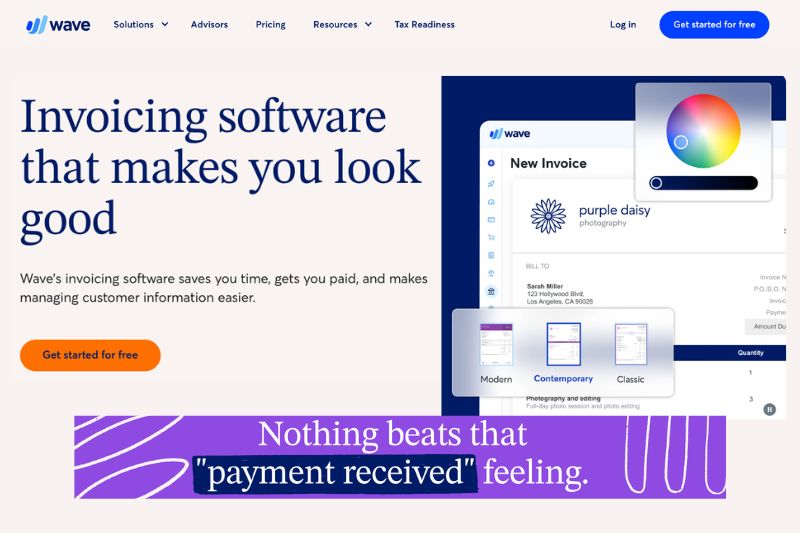
For a platform that offers a pretty decent free tier, Wave offers a high-quality, easy-to-use platform that most people can get excited about. By all standards, it is much cheaper than the nearest competitor. Its interface is not the only thing about Wave that’s sophisticated; it also has excellent features.
If you’re coming from another platform, Wave has an easy-to-understand guide for importing your information, and even helps you switch from spreadsheets to the system with bulk importing. You can assign user rights to as many users as you need so that your accountant or bookkeeper can work on your finances in real-time.
Wave has been around since 2010, helping over 5.9 million small business owners with their finances. Further support is offered to SBO through Wave Advisors, where you can find bookkeeping services (if you need help), and accounting coaching (if you want to learn how to do your own books).
Xero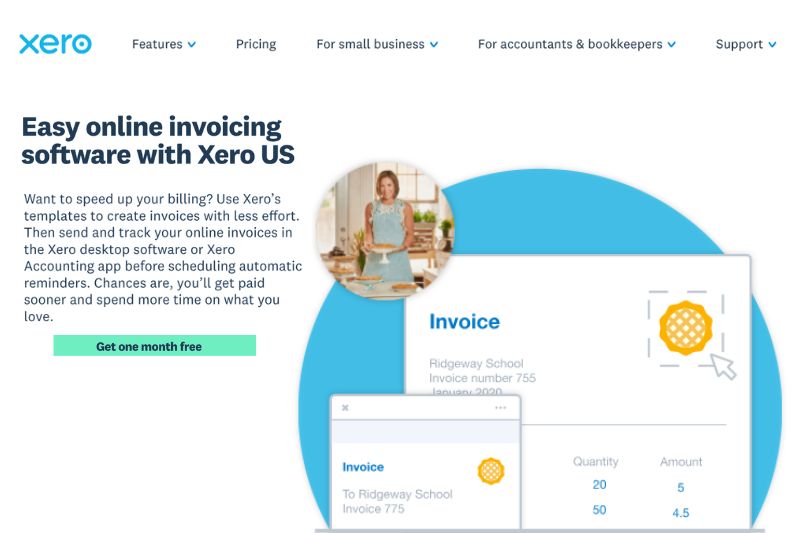
Xero has been making subtle changes to its platform over the years that are yielding big results. Currently, the platform compares with the likes of QuickBooks and Sage for small and medium enterprises, making it one of the most popular accounting software around the world.
If you’re a freelancer or contractor, you could use Xero, but it will cost you much more than Wave. There will also be a lot of unnecessary features that you don’t need to use. But if you’re a small business with your eye on great things, then start with Xero now and let it scale with your business. You get real-time updates to your financial information, giving you the power to manage your cash flow day-by-day. This helps you make better financial decisions.
Xero helps you save time with its automation features, such as immediate categorization, receipt scanning, bank recons, and pay now buttons that get you paid faster. This means you cut down on manual data entry, and you don’t have to spend hours tracking outstanding payments.
In a nutshell, Xero is a money-saver, time-saver, and provides every business owner with the peace of mind that comes from organized finances. The only thing missing is approval workflows, and if you really want to save time, you can’t miss out on this feature. Luckily, one easy integration with Envoice will provide you with this function, and you’ll never look back. Learn more about approval workflows with Envoice.

Conclusion
In this guide for small businesses, we looked into Xero vs Wave and which one is right for your business. Both of these accounting software have strong basic bookkeeping features, and will help you streamline your books so that you can present professional and up-to-date financials at tax time.
Wave is better suited to freelancers, contractors, and consultants, while Xero is better suited to small and medium enterprises that need automation and advanced features such as project tracking and inventory management.
Wave is comparable with FreshBooks, FreeAgent, and Expensify. Xero is comparable to QuickBooks, Sage, and Zoho Books.
FAQs: Wave vs Xero
1. How is Wave different from Xero?
Wave and Xero are both bookkeeping software, but Wave is aimed at businesses with 1-9 employees, solopreneurs, consultants, and contractors. Wave is ideal for any business requiring free accounting software. Xero is aimed at small and medium enterprises, and is a more robust accounting solution that includes inventory tracking and payroll. Xero also offers fixed assets management, which Wave does not.
2. Which one is cheaper, Wave or Xero?
For small business accounting, Wave is cheaper. The platform offers a free software plan, allowing you to do basic bookkeeping and a paid plan. The paid plan is significantly cheaper than Xero’s first-tier paid plan. Wave is cheaper because it doesn’t have the robust features that Xero offers. Xero goes beyond the basic features to include inventory features, custom reports, and the ability to create purchase orders.
3. Which software is better for freelancers, Wave or Xero?
Freelancers can use either Wave or Xero. However, if a freelancer is looking for a good free-tier software that tracks income and expenses, produces basic reports, and has a mobile app, then Wave is more than sufficient. Freelancers can upgrade their Wave plan to get access to more advanced features, such as payment processing.
4. Can I use Wave for my bookkeeping?
Yes, Wave can be used for bookkeeping. It is designed for small businesses and self-employed individuals such as freelancers, solopreneurs, consultants, and independent contractors. It has the ability to produce custom invoices, track income and expenses, manage cash flow, and has a user-friendly interface that guides you through the bookkeeping stages. At tax time you can draw financial statements to complete your tax return.
Articles you might like



STAY ALWAYS TUNED
Subscribe to newsletter
Still not sure?
- Don’t spend time on manual work
- Streamline bookkeeping processes with AI
- Automate invoice processing
- Integrate with the tools you rely on every day