Zoho Books vs Xero: Which one offers more value in 2026?




Produced by our content partners and reviewed by Envoice’s internal experts to ensure it reflects real accounting workflows and accurate product usage.
The accounting solution market is currently flooded with platforms racing to improve automation and leverage AI agents to help businesses grow rapidly. In 2026, Zoho Books and Xero are just two platforms that continue to evolve rapidly, yet users are most interested in what value each platform can add to their businesses. We find out the answer to this question.
Quick Overview
Zoho Books and Xero are both premium cloud-based accounting software, but their approaches differ. Zoho Books is a comprehensive accounting module within Zoho’s broader business platform, making it more suitable for medium- to large-sized enterprises, while Xero is dedicated to accounting for small businesses.
Table of Contents
- Zoho Books vs Xero: Feature comparison
- A deeper look into Zoho Books
- A deeper look into Xero accounting software
- Conclusion
- FAQs: Zoho Books vs Xero
Zoho Books vs Xero: Feature comparison
| Zoho Books | Xero Accounting | ||||||||
| Description | Cloud accounting software module within the Zoho One business platform. Fully integrated with other Zoho modules such as sales, marketing, inventory, etc. Zoho Books Professional plan is the closest comparison to Xero. |
Cloud-based accounting platform offering small businesses and accountants a comprehensive tool with multiple add-ons, enhancing its capabilities. | |||||||
| Target market | Small businesses, startups and medium- to large enterprises. | Solopreneurs and micro businesses, startups, and accountants. | |||||||
| Plans and pricing |
|
|
|||||||
| G2 rating | 4.4/5.0 | 4.4/5.0 | |||||||
| Key feature comparison | |||||||||
| Quotes | Create custom quotes, send directly from Zoho, track status, and convert to an invoice once approved. | Create custom quotes and send them as PDFs. | |||||||
| Invoicing | Create custom-branded invoices, send invoices to customers, receive online payments and send payment reminders. Create recurring invoices. Invoice multi-currency transactions. | Invoice creation and customization, convert quotes to invoices, recurring invoices, payment reminders and unlimited invoices. Automate payment reminders. Accept payments via the invoice link. | |||||||
| Sales orders | Create with items from a preconfigured list, auto-apply sales tax and convert to an invoice. Add Zoho CRM to manage customer relationships. | No dedicated feature. Handled via invoices or third-party integrations. | |||||||
| Bills | Overview shows each bill’s status, automates upcoming bills and supports full or partial payments across multiple bills. | Capture bills, pay bills, automate recurring billing and automate reminders. Manage basic accounts payable function. | |||||||
| Purchase orders | Create and send to the vendor from a pre-configured catalog, purchase order status and automate the purchase workflow. | Create and send digital purchase orders in minutes. Track orders and deliveries, speed up the purchasing process. | |||||||
| Projects | Manage multiple projects, billable hours and monitor project profitability. Add Zoho Projects for tracking complex projects. | Project tracking and automate time and expense tracking for individual projects. View project metrics and monitor actual costs against the budget. | |||||||
| Banking | Reconcile bank and credit card statements with intelligent matching, connect bank accounts and categorize transactions. | Bank feed integrations, automated bank reconciliation and rules-based transaction matching. | |||||||
| Inventory management | Item organization and stock availability, categorize items, track stock and manage restock. Add Zoho inventory for advanced inventory functions. | Track stock levels, restock at the right time, real-time insights into best-selling products, auto-populate invoices and purchase orders. | |||||||
| Expenses | Track all expenses in one place, monitor expenses, track mileage and track recurring expenses. | Expense tracking, receipt capture and employee expense claims. | |||||||
| Documents | Complete document management, attach to client emails, auto-scan receipts, collaborate and share. | Online file storage with drop and drag functionality, share and collaborate with customers and vendors. | |||||||
| Reporting | Track financial health, customize reports and gain real-time insights with 70+ built-in reports. Add Zoho Analytics for insights into complex financial processes. | Track accounting data with customizable reports. See cash flow and other detailed financial insights on the dashboard. Compare and track patterns, and forecast outcomes. | |||||||
| Online payments | Collect payments online, with multiple payment options. | Online payments via third-party payment gateways. | |||||||
| Value-added features | |||||||||
| Self-service customer portal | Track payments, download account statements, accept quotes and project approvals, answer customer queries, handle customer onboarding and collect documents. | Only via third-party integrations. | |||||||
| Vendor portal | Vendors can view and access all transactions, update details, view invoices, and track payments. | Only via third-party integrations. | |||||||
| Integrations | Access to all apps in the Zoho ecosystem and third-party payment gateways. | Third-party apps only. | |||||||
| Mobile application | Full-featured mobile app (iOS/Android) | Mobile app for receipt scanning, invoicing, bank reconciliation and expense capture. | |||||||
| AI Agents | Zia Agent Studio for handling repetitive tasks, and integration of finance, sales, customer support, marketing, and other business processes. | Jax AI Agent for automating tasks and workflows, and delivers actionable insights to improve your business. | |||||||
| Customer support | Support via voice, chat, or email. | Chat and email. | |||||||
A deeper look into Zoho Books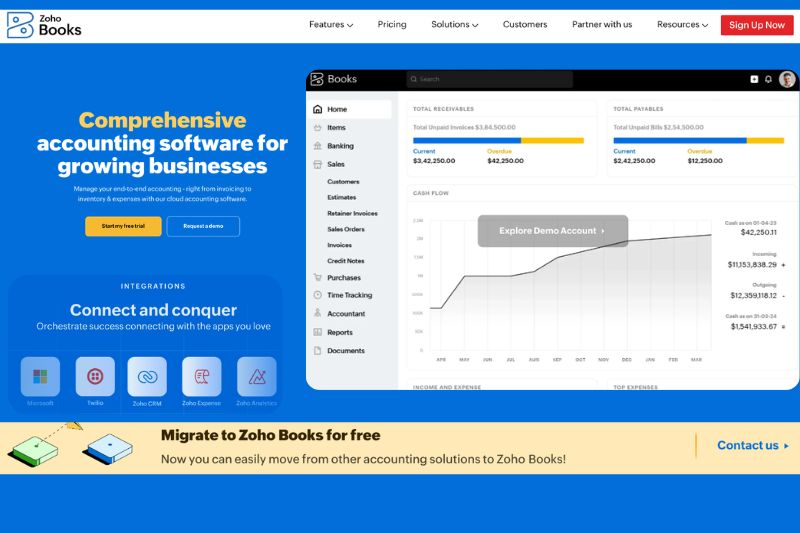
Zoho is a comprehensive business platform with 60+ products developed in-house and fully integrated. Within this platform is the Zoho Books finance module. The platform provides an impressive array of features, with both in-house and third-party add-ons, so you can create a system that works for you.
Pros
Zoho Books has been carefully designed and updated since its introduction to the Zoho ecosystem in 2012. Not only does it handle basic bookkeeping tasks, but it also offers advanced features such as inventory management, project tracking, automated workflows, and customer and vendor portals. Unlike Xero, this is included in its lower-priced plans.
Zoho Books is designed to help you expand your business. Instead of cutting out important accounting features to reduce subscription fees, they’ve found a cost-effective way to include accounts payable, accounts receivable, projects, inventory, reports, automation, and a mobile application in their plans. This reduces the overall cost of using the platform because you don’t need to pay for add-ons to run your entire accounting function.
If you’re looking for hands-free accounting, Zoho Books is the ideal option thanks to its advanced automation and workflow capabilities. The combination of intelligent matching, auto-categorization, custom rules, triggers, and auto-invoicing reduces manual data capture and human error.
Cons
A user without prior accounting knowledge might find the scope of Zoho Books intimidating at first. While the setup is relatively easy, there is a lot to work through. This may not be ideal for the solopreneur or the small business owner who wants to get started quickly with accounting tasks.
Additionally, Zoho Books works best when paired with other Zoho apps, and while its extensive ecosystem is its biggest strength, it can make migration to other systems difficult.

The bottom line on Zoho Books
Zoho Books is a premium cloud accounting platform with more than enough features to keep everyone happy (even on the free plan). It strikes a rare balance between features and affordability that other platforms in this category struggle to achieve.
A deeper look into Xero accounting software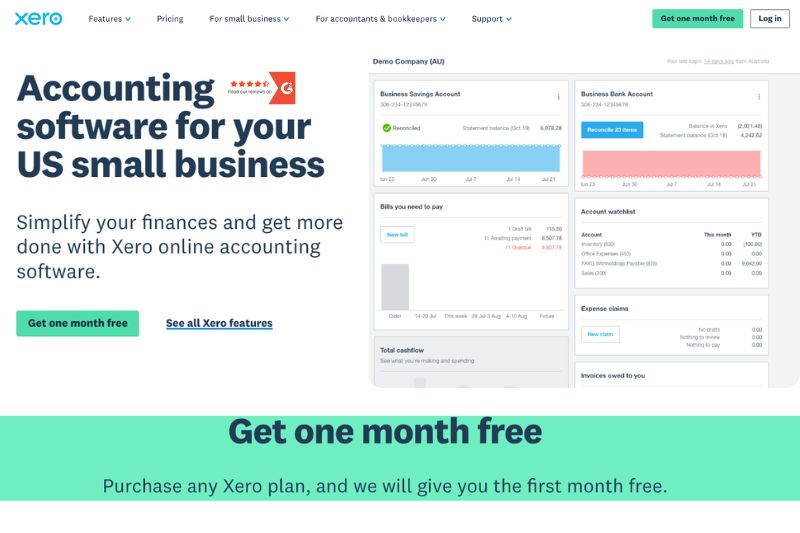
Xero is a popular cloud accounting software that is often compared with QuickBooks, Sage, Wave and FreshBooks. Unlike Zoho Books, Xero focuses on accounting, offering a simple, intuitive platform for solopreneurs, startups and small businesses.
Pros
Xero is widely recognized for its clean and simple-to-use interface. In a user’s world, this translates into: ‘I can find everything quickly, and it all works together’. For an accounting tool, this is seen as a victory.
It’s not just Xero’s interface that appeals to users; the automated bank reconciliations, online invoices, expense tracking, and project tracking also make that list. Xero balances simplicity and value by making life easier for business owners, without forgetting that it must deliver the end result: comprehensive financial reports.
Xero’s adoption amongst small businesses and accountants is strong. This speaks volumes for its efficiency. It also provides a strong collaboration network since many professionals are already familiar with the software.
Cons
While Xero provides most of the features that business owners look for in an accounting platform, its business model relies heavily on third-party integrations to expand its offering. These integrations come at an additional cost, which escalates quickly, depending on how many advanced features you want.
Expert insight: Xero’s automation and approval workflows could be much stronger. Instead of migrating to another platform, add a third-party integration by Envoice for $14 a month. The additional features in this app work seamlessly with Xero to give you advanced automation and workflow capabilities. Sign up for a free Envoice trial now and see for yourself how it works.
The bottom line on Xero
Xero is a solid and reliable choice for small businesses and accountants. The pricing isn’t as high as some competitors’, and it offers a range of solid features across its three price plans. First-time users won’t struggle to adapt to the intuitive platform and will enjoy the ability to customize it through third-party apps.
Conclusion
By comparing Zoho Books and Xero’s features and pricing plans, it’s clear that Zoho Books offers more value in 2026. The main reason for this? It combines a broader feature set with a more cost-effective (and transparent) pricing structure. As a result, your business knows exactly what it’s getting and how much it will cost, and in 2026, this matters.
Still a Xero fan despite our final conclusion? We have no problem with that. Xero is a very popular and effective accounting platform. Just a reminder that you can increase Xero’s automation and workflow capabilities with Envoice. It will greatly reduce your pre-accounting tasks and help you manage approvals, mileage tracking, and expenses more effectively. Start a 14-day free trial to see how Envoice and Xero work together.
FAQs: Zoho Books vs Xero
1. Is Zoho Books a good alternative to Xero?
Yes, Zoho Books is a good alternative to Xero. Both platforms are suitable for small to medium enterprises, but Zoho Books offers more features in its lower-priced plans than Xero. Zoho also offers a free plan with generous features suitable for any type of business.
2. Is Zoho Books or Xero suitable for a small business?
Both Zoho Books and Xero are suitable for a small business. Zoho is better for those who want generous inventory, automation, project tracking, and reporting features. Xero is better suited to businesses that want a simple setup, intuitive accounting processes and a wide range of third-party integrations.
3. Is Zoho Books or Xero the better platform in 2026?
Whether Zoho Books or Xero is the better platform is highly subjective. Each platform offers users powerful accounting features that help businesses grow and expand, both locally and internationally. However, Zoho Books is part of a larger ecosystem of modules that form a comprehensive business management platform. Xero is focused on providing accounting services to small businesses and accountants.
4. Is Zoho Books cheaper than Xero in 2026?
Yes, Zoho Books is cheaper than Xero in 2026. Zoho’s pricing plans include a free plan that offers a good range of features. When compared with Xero (and other platforms in the same class), Zoho Books is cheaper across the board.
Articles you might like



STAY ALWAYS TUNED
Subscribe to newsletter
Still not sure?
- Don’t spend time on manual work
- Streamline bookkeeping processes with AI
- Automate invoice processing
- Integrate with the tools you rely on every day