7 Best Expensify Alternatives in 2026




If you’ve been using Expensify for a while, you may have started noticing limitations, whether it’s rising costs as your team grows, reporting constraints, approval workflow gaps, or features that no longer match your business needs.
While Expensify remains one of the most recognized expense management tools, it isn’t the best fit for every organization anymore. Many businesses begin searching for Expensify alternatives when they need:
- more flexible approval workflows
- stronger reporting and analytics
- better accounting integrations
- simpler user experience
- scalable pricing
- more responsive customer support
The good news is that today’s expense management software market offers powerful alternatives built for startups, SMBs, and enterprise organizations alike.
In this guide, we’ll compare the best Expensify alternatives based on features, pricing, integrations, reporting capabilities, ease of use and ideal business scenarios
By the end, you’ll have a clearer understanding of which platform may suit your workflow better than Expensify.
Quick Answer
The best expensify alternatives in 2026 depend on your business size and financial complexity: platforms like Envoice support accountants and SMBs with AI-driven document automation, while tools such as Zoho Expense and Certify offer advanced approval workflows and reporting for growing or enterprise organizations.
Why Businesses Look for Expensify Alternatives
Companies don’t usually switch expense management software without reason. The most common triggers include:
Rising Costs at Scale
Per-user pricing becomes expensive as teams grow.
Limited Customization
Organizations with complex approval hierarchies need more flexible controls.
Reporting Constraints
Finance teams often require deeper analytics and forecasting tools.
Integration Needs
Businesses seek tighter connections with accounting, ERP, payroll, and CRM systems.
User Experience Challenges
Some teams prefer platforms with simpler onboarding or more intuitive mobile apps.
Comparison of Expensify Competitors
1. Envoice
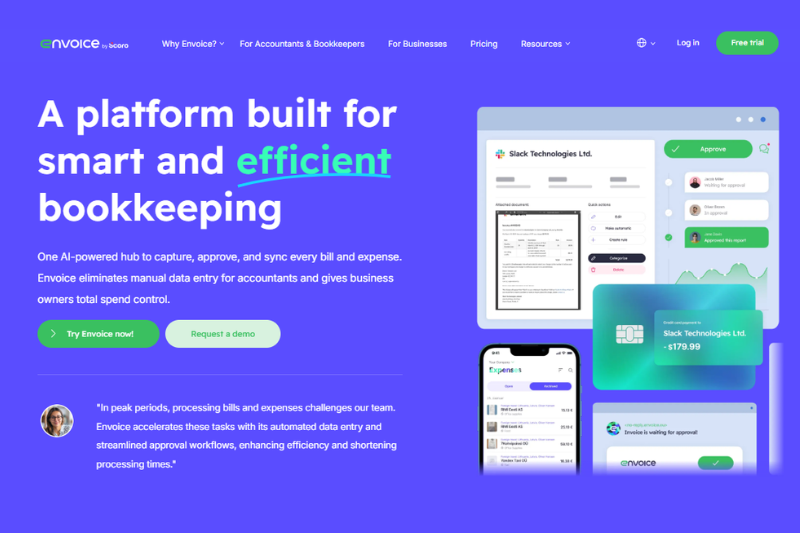
Envoice is a bookkeeping solution that offers an integrated platform for managing accounts, invoices, and payments. It allows businesses to simplify their financial operations by streamlining the process of tracking expenses and generating invoices. Additionally, it integrates with existing accounting software, such as QuickBooks, to make it easier for them to stay on top of their finances.
With Envoice, users can create, track, and manage invoices with a system that provides a streamlined workflow for approving invoices and payments from a single dashboard. Even a small organization can use Envoice to automate business processes and produce reports at an enterprise level.
Features
- Auto Extract: This feature ensures 99.9% accuracy of data capture for accurate and dependable data processing, guaranteeing that your company’s financial records are correct and up-to-date.
- Receipt Scanning App: It lets you capture key data from your receipts in seconds. This ensures efficient record-keeping for easy tracking and analysis.
- Management Platform: This is an excellent way to keep track of all your business’s financial activities in one place. You can easily view a summary of your finances at any time and export data for further analysis if needed.
- Personal Coaching: You can access personalized coaching services that provide tailored advice to help maximize the experience and efficiency of your accountants.
- Personalized Support: Envoice also offers personalized support programs to help you stay updated on the latest industry news, regulations, and trends and monitor your progress over time with comprehensive analytics tools.
- Communication: The communication platform within Envoice allows you to collaborate with clients in real-time by creating projects and tasks, managing documents, sharing files, sending notifications, tracking conversations and more.
Pricing
The software offers affordable subscription pricing, starting at just $7 and a business plan of $14 per month, with an additional fee of $0.15 per document. Depending on your business needs, you can choose from various packages that provide different levels of access to the features and services.

Key Advantages Over Expensify
Envoice differentiates itself from Expensify by combining AI-driven receipt and invoice data extraction with a centralized document management system, enabling businesses to automate bookkeeping while maintaining organized, audit-ready financial records. In addition, its personalized onboarding, coaching, and built-in collaboration tools support accounting professionals and small teams that require closer client communication and structured approval workflows.
2. Zoho Expense
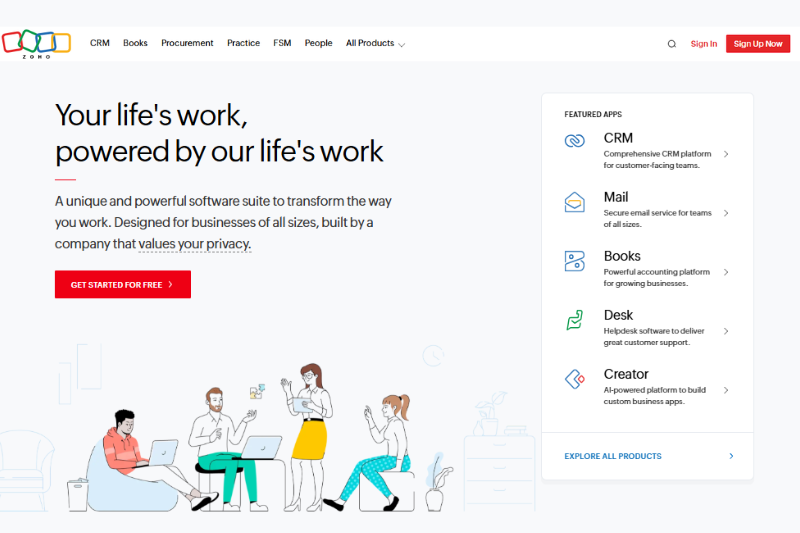
Zoho Expense Management is a cloud-based system that helps businesses easily track and manage expenses. It simplifies the expense process from filing expense reports to making online payments by integrating advanced technologies like automated reporting, online payment solutions, and custom approval workflows. With this comprehensive solution, users can ensure their expenses remain on track, organized, and within budget.
Features
- Automated Expense Reports: This helps companies save time and effort by automating the task of generating and managing complex financial statements. The automated report generator is powerful yet user-friendly, allowing users to customize the format and layout of their expense reports as well as add various filters for improved accuracy.
- Online Payment System: With just the click of a button, businesses can now easily pay out expenses quickly and securely. The online payment feature is integrated with multiple banks and other financial services, giving users more choices when paying out.
- Advanced Analytics Reporting: Zoho Expense Management provides users with advanced analytics reporting, giving them insight into their financial data and helping them control expenses more efficiently. With this feature, businesses can track and visualize spending trends, forecast budgets accurately and improve budgeting strategies.
- Corporate Card Reconciliation: The platform allows users to automate the reconciliation process and get a bird’s-eye view of employee spending on each card. With this feature, users can keep track of all corporate credit or debit card transactions in real time and easily make corrections or adjustments when needed. Additionally, the platform provides detailed insights into employee spending, which helps businesses take corrective measures if necessary.
Pricing
Zoho Expense offers a range of plans to suit different business needs. It includes a Free plan ($0 per user/month) for basic expense tracking, a Standard plan (around $4 per user/month) with multi-level approvals and basic policies, and a Premium plan (around $7 per user/month) with advanced workflows, corporate card reconciliation, and deeper analytics — all billed monthly or annually with a free trial available.
Key Advantages Over Expensify
Zoho Expense stands out from Expensify by offering multi-level approval workflows, automated policy enforcement, and customizable real-time analytics dashboards that provide deeper financial oversight for growing organizations. Its automated corporate card reconciliation and seamless integration with the broader Zoho ecosystem and major accounting platforms make it particularly well-suited for businesses that require stricter financial controls and connected operational systems.
3. QuickBooks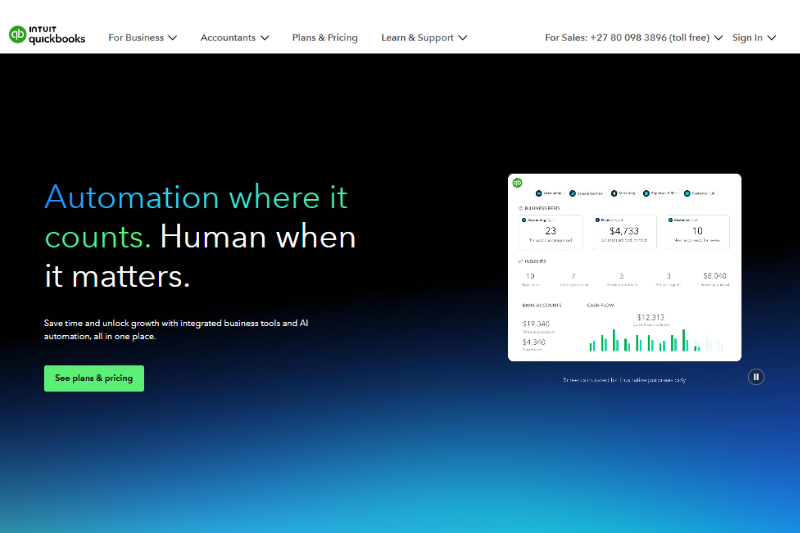
It is an accounting software package developed and marketed by Intuit. Small and medium-sized companies use it to manage their finances, including accounts payable and receivable, budgeting, payroll, and inventory management.
QuickBooks provides various features and tools to help users manage their companies more efficiently, such as accounts receivable forecasting, real-time data insights, automated invoicing systems, and customizable expense reporting options. QuickBooks was designed with convenience in mind; it is easy to set up and use for business owners who are not particularly tech-savvy. [1]
Features
- Cash Flow Forecasting: The system offers built-in templates that help users create reliable forecasts quickly and easily. It can also compare actual results with projected results to fine-tune the predictions. With its intuitive design and automated capabilities, Quickbooks’ cash flow forecasting feature provides users with detailed insight into their finances for better decision-making.
- Automated Invoicing System: This allows companies to streamline invoice processing and payment procedures. This feature saves time by automating the process of sending, receiving, and creating invoices.
- Advanced Compliance Features: This provides users with real-time intelligence on federal, state, and local taxes, as well as payroll and employment compliance. It also allows them to track key financial metrics such as sales tax, use tax, and 1099 requirements to maintain compliance across different jurisdictions. [2]
Pricing
QuickBooks Online offers several tiered subscription plans designed to fit different business sizes and needs. Current U.S. pricing for QuickBooks Online includes Simple Start at around $38 per month, Essentials at about $75 per month, Plus at approximately $115 per month, and Advanced at around $275 per month.
Key Advantages Over Expensify
QuickBooks differentiates itself from Expensify by combining expense tracking with full-service accounting features, including bookkeeping, invoicing, payroll, tax compliance, and cash flow forecasting in one integrated system. This all-in-one approach reduces the need for multiple financial tools, improves reconciliation accuracy, and provides broader financial visibility for small and mid-sized businesses that require more than standalone expense management.
4. SAP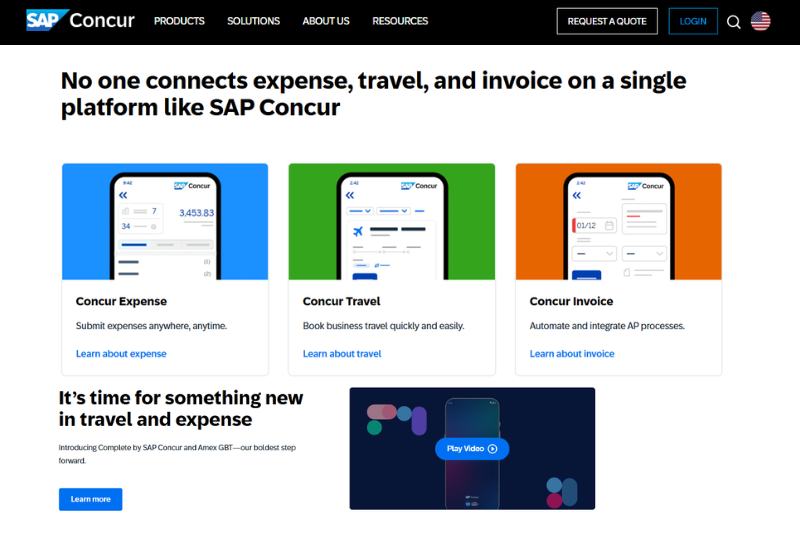
Businesses of all sizes utilize the SAP expense management solution as an enterprise resource planning (ERP) tool to organize and streamline their financial procedures. This extensive software suite includes budgeting, accounts receivable and payable, payroll, fixed asset management, cash management, and other capabilities.
To help organizations better comprehend their data, it also connects with other ERP systems, including customer relationship management (CRM), human capital management (HCM), supply chain management, and manufacturing processes. [3]
Features
- Financial Planning and Analysis: It provides users with insights into their financial performance by combining actual transaction data with budgets, forecasts and plans. Users can access powerful analytics capabilities to analyze company performance promptly.
- Treasury Management: It provides users with insights into their financial performance by combining actual transaction data with budgets, forecasts and plans. Users can access powerful analytics capabilities to analyze company performance on time. This feature also comes with automated budgeting processes, enabling businesses to easily control recurring tasks such as payroll calculations and benefits deductions.
- Tax Management: With this feature, businesses can access up-to-date information on international tax laws, submit returns quickly and easily, and manage taxes in multi-currency environments. Additionally, it streamlines the management of payment schedules for contractors and employees, simplifying filing processes. This feature also enables businesses to get detailed insights into their financial data for better decision-making.
Pricing
As with most expense management solutions, the cost of using SAP Accounting will vary depending on your specific needs and the size of your business. Generally speaking, SAP Accounting offers a tiered fee structure based on the type of services you require, with lower prices for basic services and higher fees for more complex tasks.
Key Advantages Over Expensify
SAP differentiates itself from Expensify by delivering enterprise-level financial management that extends beyond expense reporting to include advanced budgeting, forecasting, treasury, and global tax compliance capabilities. Its deep ERP integrations across HR, CRM, supply chain, and other operational systems create a unified financial ecosystem, making it better suited for multinational organizations that require centralized control, multi-currency support, and large-scale financial oversight.
5. Emburse Certify 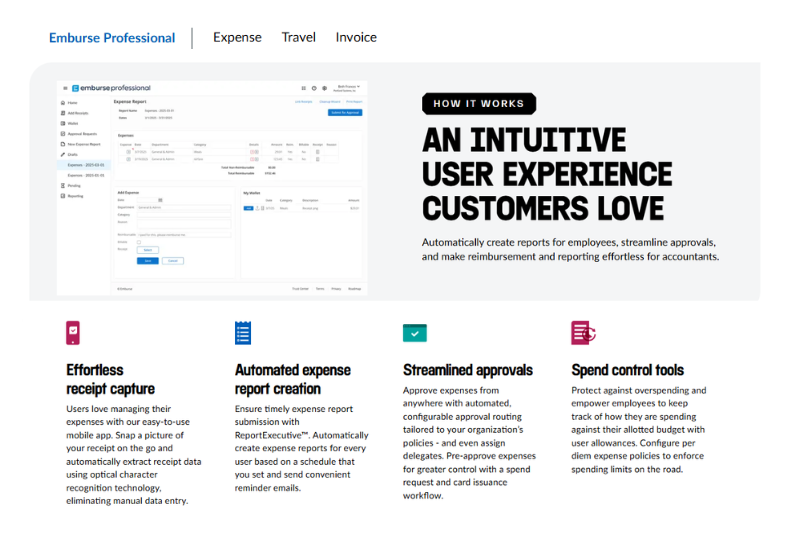
Certify, now part of the Emburse spend management suite, is a cloud-based expense and travel management platform designed primarily for mid-sized and enterprise organizations.
Rather than serving as full accounting software, Certify focuses on automating expense reporting, strengthening policy compliance, and providing greater visibility into company-wide spend. It is built for organizations that require more structured financial controls than lightweight expense tracking tools typically offer.
Features
- Emburse Cards: Emburse Certify Cards help organizations control employee spending with configurable limits, real-time tracking, and built-in policy enforcement to reduce out-of-policy expenses.
- Expense Reporting & Analytics: The platform enables automated receipt capture, real-time expense tracking, and detailed analytics dashboards that provide insights into spending trends, compliance gaps, and operational efficiencies.
- B2B Payments: Certify supports secure vendor payments and invoice workflows, allowing businesses to manage broader spend processes within a unified system.
Pricing
Certify uses a tiered pricing model that typically starts at around $8–$12 per user per month for smaller and mid-sized organizations, with additional features and higher tiers available as needs grow. Enterprise-level pricing is usually custom-quoted based on company size, required integrations, and implementation support, and a free trial is often available for new users to evaluate the platform before committing.
Key Advantages Over Expensify
Certify differentiates itself from Expensify by delivering end-to-end expense automation that reduces manual reporting and approval delays, while also integrating travel booking and invoice management into a single spend management platform. Its advanced analytics, configurable policy enforcement, enterprise ERP integrations, and detailed audit trails make it particularly well-suited for organizations that require stronger compliance controls and broader financial visibility than standalone expense tools provide.
6. Paylocity
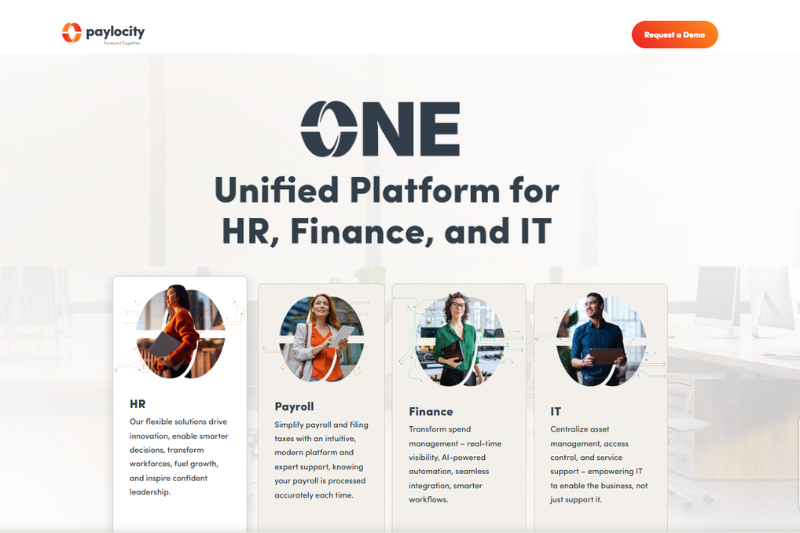
What sets Paylocity apart from traditional expense management solutions is its ability to provide employers and employees with the capabilities they need in a single platform. Employers can use it to automate essential HR tasks. At the same time, tools such as time tracking and consumer-directed tax savings accounts help employees to handle finances better.
Features
- HR Edge: This provides businesses with a powerful suite of tools to help them handle their human resources operations. This includes features such as time, attendance and talent management.
- Global Payroll: This feature helps businesses comply with payroll regulations in over one hundred countries across the world. With its intuitive tools, companies can ensure that their payroll complies with local and international regulations while maintaining cost efficiency.
- Workflows and Document Management: With the platform’s customizable workflow tools, users can quickly map out custom processes for activities such as onboarding, time tracking, offboarding, and more. Additionally, businesses can create digital employee files with unlimited folders and documents.
Pricing
The platform has two price tiers, with the cost per employee ranging from $15 to $25 per month, depending on the size of your business and the modules covered by your scope.
Key Advantages Over Expensify
Paylocity differentiates itself from Expensify by combining expense management with integrated HR and payroll systems, creating tighter alignment between employee reimbursements and workforce data. Its AI-powered receipt capture, built-in policy enforcement, and detailed audit trails enhance compliance oversight while reducing manual processing for finance and HR teams managing high volumes of expense submissions.
7. ExpensePoint
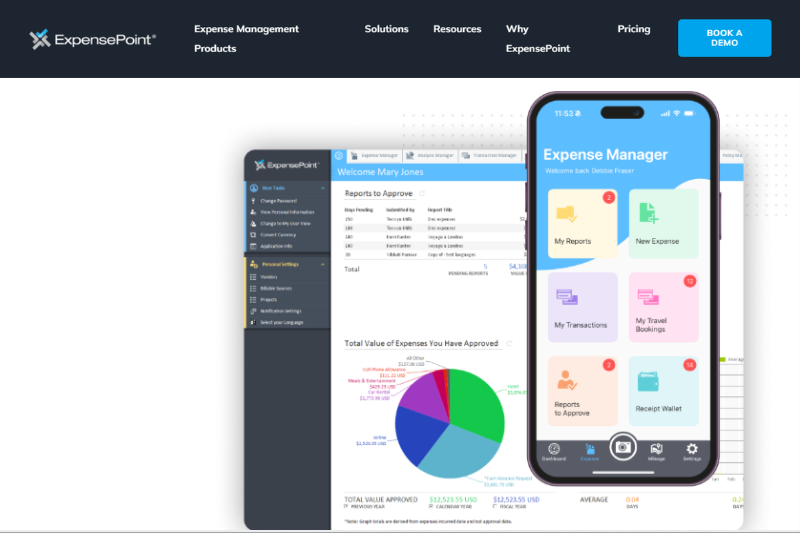
GlobalPoint Technologies Incorporated develops ExpensePoint, a data-driven solution for businesses’ expense-tracking needs. It streamlines the entire process of collecting and organizing employee expenses on a centralized platform, decreasing paperwork and saving valuable time.
The user-friendly interface allows users to take control of the finance division with its robust features, including mobile capabilities, automated payment processing, and custom reports. With simplified tools such as shared cost centers, automated accounts payable reconciliation processes, and insights derived from advanced analytics
Features
- Expense Report Features: Comprehensive reports to manage an organization’s cash advances and returns. It allows users to view the entire expense history of the organization, giving insight into what expenses were made, when those expenses took place, and any needed bank reconciliation. It provides various reporting tools, such as total spending per period or buyer type. Plus, it provides multiple approval options.
- Program Features: The program also offers businesses a great deal of flexibility. For instance, accept and consider the ability to access financial accounts on mobile devices; Client Multi-Install, which simplifies user management; and even the addition of offline access. With all these incredible features, ExpensePoint is easily one of the best options.
- Accounting Features: The features accept multiple payment types, record payments within the system, and provide information on accounting performance in one streamlined place. Consider using the Accounting Features module to help you monitor your financials – from invoices and expenses to payments, detailed cash reports and more.
- Management Features: The feature is tailored to specific organizational structures, allowing team members to accept, approve or reject criteria in a streamlined fashion without having to worry about a manual process. The ability for expenses and approvers to add expense details through custom requests provides an easy way for operations managers to collaborate with departments about what needs to be approved.
Pricing
ExpensePoint pricing typically starts at about $10–$12 per user per month for core expense management features, with support for major credit cards and a free trial available so businesses can evaluate the platform before committing.
Key Advantages Over Expensify
ExpensePoint differentiates itself from Expensify by offering offline mobile expense capture for employees working in low-connectivity environments, along with strong multi-currency support for international teams. Its advanced analytics and highly configurable approval workflows provide deeper spend visibility and greater control for organizations with complex structures or cross-border operations.
Conclusion
Comparing the top alternatives to Expensify side-by-side is a helpful way to understand what each tool does well and where there might be room for improvement. What separates them is their different approaches to managing expenses, their pricing models, the features they offer and how well they integrate with other popular accounting software.
We suggest you do your own research and understand the tasks you want to automate and how they fit into your business model before deciding which tool is right for you. You can even test out some of these tools, as most of this expense management software offers a free trial.
If you need help picking the right expense management software or have any questions, our team here at Envoice is always happy to help.
Feel free to email us or call; we would be happy to chat with you about finding the perfect expense management solution for your business needs.
Frequently Asked Questions
1. What are the best Expensify alternatives in 2026?
The best Expensify alternatives in 2026 include Envoice for AI-powered document processing and accounts payable automation, Zoho Expense for multi-level approvals and policy enforcement, QuickBooks for integrated accounting, Emburse Certify for enterprise spend management, SAP for multinational financial oversight, Paylocity for HR-integrated expense control, and ExpensePoint for global receipt tracking and reporting.
2. Why do businesses switch from Expensify?
Businesses switch from Expensify when they require deeper visibility into expense data, more flexible approval workflows, stronger ERP integrations, or enhanced advanced spend controls to maintain compliance as financial operations scale.
3. Which Expensify alternative is best for small or growing companies?
For growing businesses, platforms like Envoice and Zoho Expense offer scalable pricing, automatic expense categorization, and structured approval workflows that support scaling finance teams without increasing manual administrative work.
4. What is the best enterprise alternative to Expensify?
Enterprise organizations often select Emburse Certify or SAP because they provide enterprise-grade policy enforcement, ERP integrations, global tax compliance, and centralized spend receipt tracking across departments and international entities.
5. Can expense management software integrate with accounting systems?
Yes. Most leading Expensify alternatives integrate directly with accounting, ERP, payroll, and CRM systems, allowing businesses to automate reconciliation, streamline bill pay, and maintain accurate financial records across platforms.
6. Which platforms provide stronger approval workflows than Expensify?
Zoho Expense, Emburse Certify, and ExpensePoint offer configurable multi-level approval workflows that enable departmental oversight, enforce policies before submission, and improve compliance control across complex organizations.
References:
1 – https://quickbooks.intuit.com
3 – https://keap.com
Articles you might like


STAY ALWAYS TUNED
Subscribe to newsletter
Still not sure?
- Don’t spend time on manual work
- Streamline bookkeeping processes with AI
- Automate invoice processing
- Integrate with the tools you rely on every day