Benefits of QuickBooks – The Most Compelling Reasons to Choose QB



Produced by our content partners and reviewed by Envoice’s internal experts to ensure it reflects real accounting workflows and accurate product usage.
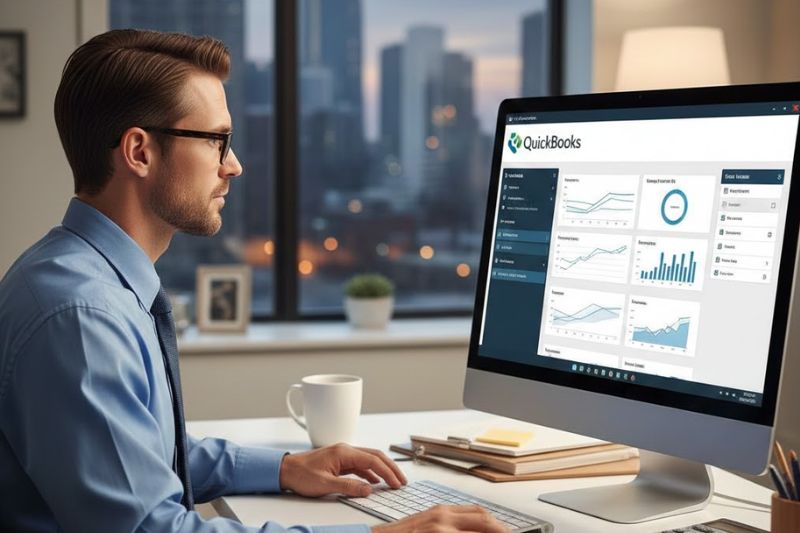
QuickBooks is one of the biggest names in the accounting software industry. In fact, QuickBooks Online (QBO) version alone has about 4.5 million global users. So almost every accounting professional is familiar with the software. [1]
Whether your company’s spreadsheets have grown, you want to shift from manual to digital accounting, or you need a better tool than your present accounting software, QuickBooks can be an excellent choice without breaking the bank.
In this article, we’ll find out the most compelling reasons to choose QuickBooks for your business, what QuickBooks is in the first place, how it works, and the different versions for specific business needs.
Quick Overview
QuickBooks is a powerful accounting software solution that streamlines financial management for small businesses by automating tasks like expense tracking, invoicing, and reporting. QuickBooks Online benefits are its user-friendly interface and cloud-based accessibility, which allow business owners to maintain accurate, real-time books and easily collaborate with their accountant from anywhere.
What is QuickBooks?
QuickBooks is a cloud-based accounting software developed by the American company Intuit. QB not only has online and desktop accounting applications but also cloud-based platforms that process business payments and bills.
The software is targeted at small- and medium-sized businesses looking for a reliable QuickBooks account solution. Reporting functionality and ease of use make QuickBook popular among these users.
QuickBooks also has help functions and other tools, such as time tracking options for employees and pre-authorization of electronic funds. One version of QuickBooks that is popular among businesses is its cloud solution – QuickBooks Online.
QuickBooks Online Pricing and Features: At a Glance
These are QuickBooks Online’s pricing tiers, which include a free trial for 30 days. They also offer a 50% discount for new users for the first three months. Add-ons (e.g., QuickBooks Time, Live, Bill Pay, and Payroll) have their separate pricing plans:
| Plan | Price | Features |
| Simple Start | $38 per month |
|
| Essentials | $75 per month | Includes everything from Simple Start, plus:
|
| Plus | $115 per month | Includes all from Essentials, plus:
|
| Advanced | $275 per month | Offers everything from Plus, including:
|
Benefits of QuickBooks for Small Business
1. QuickBooks Allows You to Create and Track Invoices Easily
Manual invoice processing is not optimal for a modern accounting team. It’s time-consuming and costly. Research has even noted that the average cost to process one invoice can range between $15 and $40. [2]
The manual invoice data entry process remains a top accounts payable (AP) challenge, with plenty of businesses still using such a method. It’s prone to human error, often inconvenient, and can impede your team’s communication.
With QuickBooks, you can create and track invoices easily. You can email them to customers and print them. Its inventory tracking feature will also track how much each client owes you and record the income automatically.

Furthermore, you will be able to see the number of outstanding invoices – called accounts receivable and the number of days they’re overdue. This is done through the A/R aging report.
Want to take more of the manual work out of invoice processing? See how to automate accounts payable in QuickBooks.
2. QuickBooks Keeps Track of Expenses and Bills Automatically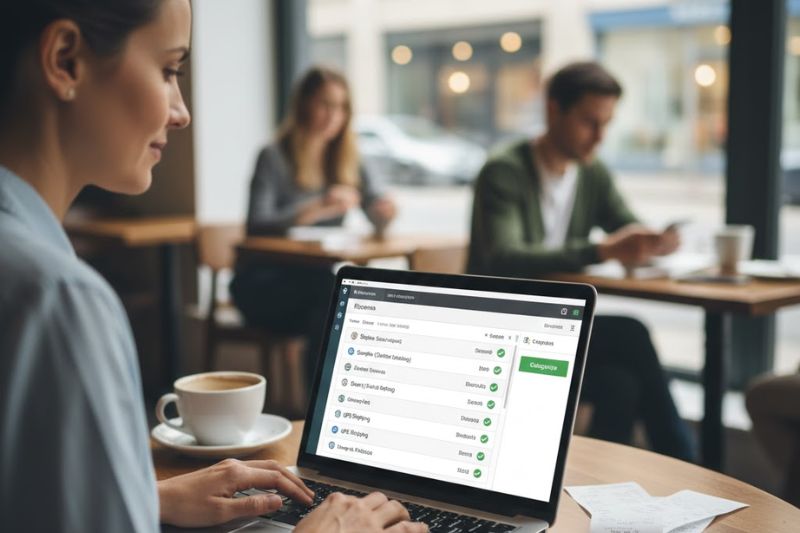
Another great benefit of QuickBooks is that it keeps track of your expenses and bills automatically. It connects to your bank or credit card accounts, so all expenses are categorized and downloaded.
Should you need to cash or check transactions manually, you can even record it directly in the software in a few minutes. Similarly, you can enter bills when you receive them to track upcoming payments. It then ensures you pay bills on time by creating an A/P report.
3. QuickBooks Is Intuitive
QuickBooks is an intuitive software. It has a friendly interface that even a person without an accounting or financial background can use. QuickBooks also comes with sample files to give you hands-on training on how the software works.
You can benefit from these practice capabilities, so you’ll feel safe making a mistake without compromising the actual business records. If the sample files are insufficient, you can try the QuickBooks Beginner level training included in the software package.
Some training topics include online banking, payroll, and how to add financial data to the system. Other topics cover inventory, QuickBooks payments, syncing with PayPal, connecting accounts, and tips for nonprofit organizations.
Related: Is QuickBooks Easy or Hard to Learn?
4. QuickBooks Has an Automated Backup Service
QuickBooks has an automated backup service (with the option to run manually), making your financial data safe and secure.
Think of this feature as a save point for your accounting records. If ever your company runs into problems, it’s easy to restore your data through the automated backup service. It saves everything in your company file, including your letters, logos, images, templates, and related files.
For accounting and finance teams that work in small and midsize businesses (SMBs), this QuickBooks feature is particularly beneficial because they have less funding for cybersecurity.
PWC research estimates that accounting and finance firms are at a 30% higher risk of cyber-attack, highlighting the need for these companies to boost their cyber resilience. [3]
5. QuickBooks is Customer-Oriented
QuickBooks is also customer-oriented. This software is easy to understand and designed to be used by many people, even if your business doesn’t have an extensive accounting team.
6. QuickBooks Allows You to Print Financial Statements for Your Business
Since every financial transaction syncs into your dashboard, QuickBooks can help you monitor your business balances and print financial statements that offer helpful information about your company’s performance.
Financial statements are frequently required by lenders when you apply for a line of credit or a small business loan.
The three primary financial statements you can produce in QuickBooks with just a few clicks are the Balance Sheet report, Statement of Cash Flows, and Profit and Loss report.
7. QuickBooks Offers Affordable Pricing
Many startups work within a tight budget during the early days of operation. That is why choosing an affordable accounting system that provides quality service is necessary.
Thankfully, QuickBooks offers affordable pricing plans that cater to startups and small businesses operating on a limited budget. When assessing value for money, many businesses compare quickbooks essentials vs plus to determine whether the additional features justify the higher monthly cost. QuickBooks Bookkeeping feature is one of the least expensive options, but with robust accounting features. And once your business grows, you can simply switch to a higher plan to add more users without losing any data.
Unlike other accounting software, QuickBooks doesn’t lock startups in a lengthy contract. They’re free to cancel or switch their subscription, and there’s no need to commit to a lump sum payment upfront.
8. QuickBooks is Constantly Improving
QuickBooks is constantly improving with features to keep pace with its customers as they grow. For instance, Intuit revised the maximum number of users businesses can have at one time to match the capabilities of their products.
New features are likewise added regularly, so all financial areas of a business are easily covered. For early-stage companies seeking scalable solutions and a clear comparison of options, explore what the best accounting software for startups looks like and how it aligns with growth ambitions.
9. QuickBooks Simplifies Tax Time
Tax season (typically from Jan. 1 until April 15) is challenging for accountants. They rarely go on vacation and work tirelessly during this period.
Statistics show that only 44% of accounting professionals take time off in March compared to the average of 54% in other months of the year. [4]
This is where the importance of QuickBooks comes in. It makes tax preparation easy for accounting professionals and small businesses.
Monitoring income and filing tax reports has never been easier. By using QuickBooks, businesses won’t have to worry whether their tax report will be prepared correctly.
10. QuickBooks Integrates With Other Finance Tools
Some accounting software options integrate with only a handful of platforms and finance tools. QuickBooks, however, integrates with hundreds of business applications, including PayPal, Gusto, Bill.com, and Envoice.
These integrations can also help businesses automate processes that sit outside QuickBooks’ core accounting functionality. For example, connecting QuickBooks with a pre-accounting automation tool can reduce the manual work involved in collecting, processing, and preparing financial documents for bookkeeping.
Maximize QuickBooks with an automation tool from Envoice
While QuickBooks gives small businesses powerful accounting functions that can reduce manual tasks and save hours of work, connecting it with an automation tool like Envoice can streamline even more of the accounting process. Envoice integrates with QuickBooks Online to automate pre-accounting work, helping businesses collect invoices, receipts, and bills received on paper or by email.
Its intelligent data capture reduces manual data entry and the risk of human error, while seamless synchronization with QuickBooks Online turns expenses and purchases into accurately coded postings. This means finance teams can spend less time moving between folders, inboxes, and systems and more time focusing on higher-value work.
The impact of this kind of automation can be significant. For example, 1Office Estonia, an accounting and business services company serving clients from more than 60 countries, previously managed its documents entirely manually. By adopting Envoice, the team reduced time-consuming document processing and manual data entry, freeing accountants to focus more of their time on other business challenges.
Connecting the two platforms is straightforward. Once Envoice is linked to QuickBooks Online, financial data can flow directly into the accounting system without the same level of repetitive manual processing.
Want to automate more of your bookkeeping without replacing QuickBooks? See how Envoice works with QuickBooks Online.
Which Version of QuickBooks Is Right For You
Quickbooks comes in different versions. Each is designed to solve specific business needs. Here are the other QB products to help determine which Quickbooks online subscription is right for your business.
-
QuickBooks Online
QuickBooks Online is a web-based product that integrates with many finance tools. It manages different aspects of accounting processes, like credit card accounts, payroll software, and bill pay tools.
This cloud-based financial management software allows you to manage and pay bills, track and send custom invoices, prepare and print 1099 forms, track inventory, run instant profit and sales reports, create and manage estimates, and sync bank accounts and apps.
-
QuickBooks Online Accountant
This QB version is designed for accountants. It allows them to manage and connect their clients’ QuickBooks data. They’ll also be provided with accountant-specific tools to make their reviews easier.
-
QuickBooks Desktop
QuickBooks Desktop is a locally-installed accounting tool designed to help you efficiently manage customer supplies and bank accounts.
This tool is available in three solutions at different price points. This allows you to choose the one that suits your accounting needs rather than paying for features that are not essential for your business.
-
QuickBooks for Mac
In QuickBooks for Mac, you can track inventory, manage bills and accounts payable, track time, track income and expenses, track sales tax, and run reports.
-
Quickbooks Pro
Quickbooks Pro is about 38% faster than other QB versions. It also has more smart productivity tools to keep businesses moving.
This comprehensive business management solution allows you to build a central data repository with all transactional and customer contact data. It enables you to follow up on past-due accounts and answer customer requests efficiently.
You can also create purchase orders. Simply select the right vendor from the list of vendors and choose the inventory item for the order. Once you receive the inventory, QB will recognize the products and match them to the right PO.
-
QuickBooks Self-Employed

Ideal for small businesses and starters, the QuickBooks Self-Employed tracks mileage automatically through the user’s phone GPS. It will then categorize trips with a swipe.
Like other features from QB Online and Desktop, this version also estimates taxes for self-employed users. It reminds them of what they owe each quarter and when it is due.
With the TurboTax bundle, QuickBooks Self-Employed allows users to instantly transfer their financial data for filing taxes. There’s also a built-in report feature to see how the business is doing.
-
QuickBooks Point of Sale (POS)
This version of QB accepts different types of payments (cash, debit cards, and credit cards) and reconciles them in QB Desktop. It tracks inventory as you receive files and sell, connects with a cash register, creates discounts across departments, updates prices, tracks UPC codes, and syncs sales data.
-
QuickBooks Payroll
With QuickBooks Payroll services, you can pay liabilities, create paychecks, generate quarterly tax reports, and calculate taxes and net pay.
It has even partnered with an insurance company to offer vision, dental, and medical insurance. Simply choose a plan, add employees, and upload your files. Once the employees complete their applications, QuickBooks automatically calculates the health deduction and syncs it to the payroll software.
Bottom Line
QuickBooks Online is a robust cloud-based accounting solution for small businesses, with strong invoicing, expense tracking, reporting, and integration capabilities. Its main advantage is the ability to bring core accounting tasks into one system, although growing businesses may find some plans, user limits, or more advanced workflow requirements restrictive.
If you already use or are considering QuickBooks and want to reduce more of the manual work around pre-accounting, explore the Envoice QuickBooks integration to see how the two platforms can work together.
Article Sources:
Articles you might like


STAY ALWAYS TUNED
Subscribe to newsletter
Still not sure?
- Don’t spend time on manual work
- Streamline bookkeeping processes with AI
- Automate invoice processing
- Integrate with the tools you rely on every day